
Solve Your 4x4 Cube in Minutes
Stuck on your Rubik's Revenge? Simply scan your scrambled cube with your camera and follow step-by-step 3D instructions to complete it. No more frustration, no more unsolved cubes sitting on your shelf.
Join hundreds of thousands of users
Everything You Need to Master Your 4x4
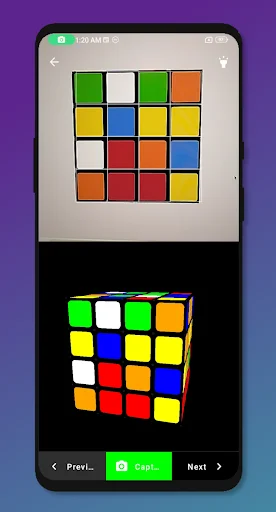
Scan Your Cube Instantly
Point your camera at your scrambled cube and watch the app capture all the colors automatically. Skip the tedious manual input and start solving in seconds.
Follow Clear 3D Instructions
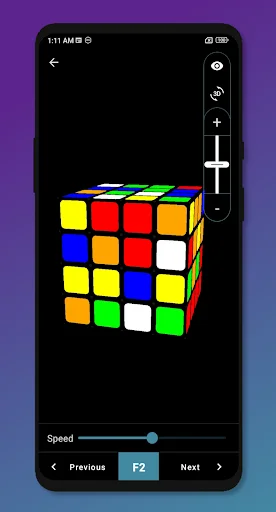
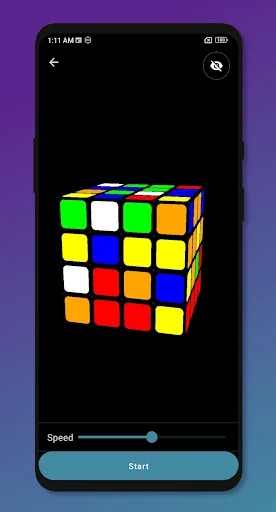
A realistic 3D model shows you exactly what to do with each move. Zoom in, rotate the view, and see every turn from any angle you need.
Learn at Your Own Pace
Control the animation speed to match your skill level. Slow down to understand complex algorithms or speed up once you've got the hang of it.
Never Stay Stuck Again
The auto-solve feature calculates the solution path and guides you through every step. Get your cube solved and learn the techniques along the way.
About Cube Solver 4x4
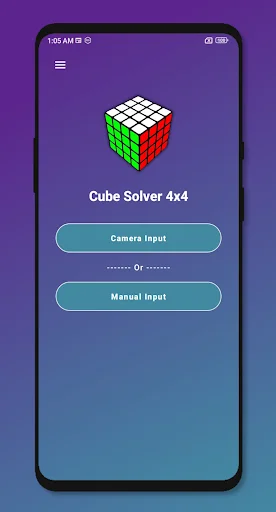
An Ultimate Camera Solver For Cube 4x4
The App Features
- User Can Input Colors by Using Camera Input
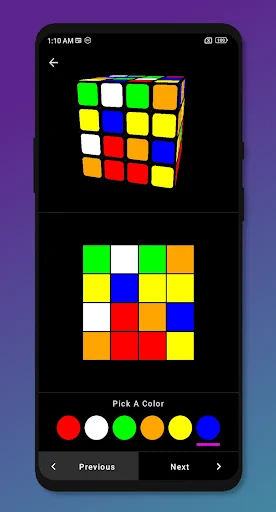
- User Can Input Colors by Using Manual Input
- Support Realistic 3D Model For Inputting and Solving The Cube
- User Can Adjust Zoom/Pan Of The 3D Model
- User Can Control The speed of the animation
- User Can reorient the cube by using 3 Axis rotation while solving
- Auto Solve ( Simulator Itself Solve the puzzle)
Solve your Cube 4x4) any time at anywhere you are
See How Simple Solving Can Be


Join 100,000+ Happy Cube Solvers
Umm ... See first of all it is very low network taking application with some ads only .. also It has two mods : 1 ] Camera Mode 2 ] Manual Mode .... Also it solves your cube with your speed and adjustment ... And it really uses advance method to solve the cube quickly... So it good Hmmm very good ... Enjoy your cubing journey ... Thanks !!! May you all have great day!!
It is very easy to solve my cube because you can put the speed of solving on a very low speed so you can see all the moves properly. I solved my four by four cube on the second try because I accidently missed one move. I recommend this app to people who don't know how to solve rubix cube but want it to be solved.
Wow it is a very good app . I was gifted a 4*4 cube and I didn't even know how to do a 3*3 one and I looked up an app for this and this popped up. Game changer
Best solver ever you get a choice between auto solve or manual solving,and it finds the most efficient solution in a minute or so. 10/10
the best app eveeeer this is my first time rating an app because it's thaaat goood and it's soo easy to use . very useful for beginners
very practical. there's an option where you input the cube's state manually or where you can scan it automatically. very easy to use.
Start Solving Your 4x4 Cube Today
Join hundreds of thousands of users enjoying our app every day